10 Agentic Design Patterns: How to Build Reliable AI Agents in Python
Ten composable AI agent patterns — from prompt chaining to multi-agent orchestration — with plain-English explanations, ASCII flow diagrams, and working Python examples.
AI agents are everywhere right now, but most explanations skip straight to the hard parts. This guide starts from scratch — what an agent actually is, what vocabulary you need, and then ten composable patterns in order of complexity, each with a plain-English explanation, a flow diagram, and working Python code.
If you've never built an agent before, start at the top. If you're already shipping agents and want specific patterns, jump to the table below.
A vending machine is not an agent. You press B4, it dispenses a drink. The steps are fixed. It cannot decide to do something different if B4 is empty.
An employee is an agent. You give them a goal — "get me a coffee" — and they figure out the steps: check if there's coffee in the kitchen, if not walk to the café, decide what to order, pay, bring it back. If the café is closed, they adapt.
An AI agent works the same way. Instead of a hardcoded sequence of steps, the model reads a goal and decides what to do next — which tool to call, what to search, whether to stop. The sequence of steps is determined at runtime by the model, not by you.
Tool — a function the model can call: search the web, run SQL, send an email. The model doesn't execute it directly; it asks for it, your code runs it, and you hand back the result.
Context window — the model's working memory. Everything it can "see" at once: your instructions, the conversation so far, tool results. When it fills up, old content gets dropped.
Turn — one round-trip: your message in, model's response out.
Orchestrator — code (or a model) that manages other agents or tools. It decides what runs next.
Sub-agent — an agent called by an orchestrator to handle a specific piece of work.
import anthropic
client = anthropic.Anthropic()defllm(prompt:str, system:str="")->str: kwargs ={"model":"claude-haiku-4-5-20251001","max_tokens":1024,"messages":[{"role":"user","content": prompt}]}if system: kwargs["system"]= system
return client.messages.create(**kwargs).content[0].text
defprompt_chain(topic:str)->str:# Step 1: Generate a raw outline outline = llm(f"Create a 3-point outline for a blog post about: {topic}")# Step 2: Expand each point into a paragraph draft = llm(f"Expand this outline into a short blog post:\n\n{outline}")# Step 3: Write a punchy one-sentence summary summary = llm(f"Write a one-sentence summary of this post for a meta description:\n\n{draft}", system="Be concise. Max 160 characters.")returnf"SUMMARY:\n{summary}\n\nFULL POST:\n{draft}"if __name__ =="__main__":print(prompt_chain("why AI agents will replace traditional automation"))
The key property: each step has no awareness of the others. If step 2 fails, you restart from step 2, not from the beginning.
What it is: Give the model a list of functions it can call. The model decides which one to invoke and with what arguments. Your code runs the function and hands back the result.
Analogy: A contractor with a toolbox. They decide which tool to pick up — you don't hand them one.
Use when: The model needs real-world data (search, database, APIs) or needs to take actions (send email, write file).
Don't use when: The task is purely text generation with no external data needed — tool overhead adds latency for nothing.
Tool design is where most agents fail. Poorly named tools, vague descriptions, or overlapping capabilities cause the model to call the wrong one or hallucinate arguments. Each tool should do exactly one thing, and its description should say when to use it, not just what it does.
from dataclasses import dataclass
from typing import Callable, Any
import anthropic
client = anthropic.Anthropic()@dataclassclassTool: name:str description:str parameters:dict handler: Callable[..., Any]defto_schema(self)->dict:return{"name": self.name,"description": self.description,"input_schema": self.parameters}classToolRegistry:def__init__(self): self._tools:dict[str, Tool]={}defregister(self, tool: Tool): self._tools[tool.name]= tool
defschemas(self)->list[dict]:return[t.to_schema()for t in self._tools.values()]defcall(self, name:str, inputs:dict)->str:if name notin self._tools:returnf"Error: unknown tool '{name}'"try:returnstr(self._tools[name].handler(**inputs))except Exception as e:returnf"Error calling {name}: {e}"registry = ToolRegistry()registry.register(Tool( name="get_stock_price", description="Return the current price of a stock. Use this when the user asks about a stock price or valuation.", parameters={"type":"object","properties":{"ticker":{"type":"string","description":"Stock ticker symbol, e.g. AAPL"}},"required":["ticker"]}, handler=lambda ticker:"$142.30",# replace with real API))registry.register(Tool( name="get_company_info", description="Return company metadata: sector, employee count, HQ. Use when the user asks about a company's profile, not its stock price.", parameters={"type":"object","properties":{"ticker":{"type":"string"}},"required":["ticker"]}, handler=lambda ticker:"Apple Inc. — Sector: Technology, Employees: 164,000, HQ: Cupertino CA",))defagent_with_tools(query:str)->str: messages =[{"role":"user","content": query}]whileTrue: response = client.messages.create( model="claude-sonnet-4-6", max_tokens=1024, tools=registry.schemas(), messages=messages,) messages.append({"role":"assistant","content": response.content})if response.stop_reason =="end_turn":returnnext((b.text for b in response.content ifhasattr(b,"text")),"") tool_results =[{"type":"tool_result","tool_use_id": b.id,"content": registry.call(b.name, b.input)}for b in response.content if b.type=="tool_use"] messages.append({"role":"user","content": tool_results})if __name__ =="__main__":print(agent_with_tools("What sector is AAPL in, and what's its current price?"))
What it is: The model alternates between Thought (reasoning about what to do), Action (calling a tool), and Observation (reading the result). This loop repeats until the model has enough information to give a final answer.
Analogy: A detective. They form a hypothesis, investigate, observe evidence, revise, and repeat until they can name the culprit.
Use when: A task requires multiple tool calls where you don't know in advance which tools you'll need or in what order.
Don't use when: The sequence of steps is always the same — use Prompt Chaining instead. ReAct adds overhead for fixed workflows.
import anthropic
import json
client = anthropic.Anthropic()tools =[{"name":"search_web","description":"Search the web and return a summary of top results. Use when you need current facts or data.","input_schema":{"type":"object","properties":{"query":{"type":"string"}},"required":["query"]},},{"name":"calculate","description":"Evaluate a math expression. Use for any arithmetic rather than doing it in your head.","input_schema":{"type":"object","properties":{"expression":{"type":"string","description":"e.g. '13960000 * 0.15'"}},"required":["expression"]},},]defhandle_tool(name:str, inputs:dict)->str:if name =="search_web":returnf"[Search result for '{inputs['query']}': sample result]"if name =="calculate":try:returnstr(eval(inputs["expression"],{"__builtins__":{}}))except Exception as e:returnf"Error: {e}"return"Unknown tool"defreact_agent(goal:str, max_iterations:int=10)->str: messages =[{"role":"user","content": goal}]for i inrange(max_iterations): response = client.messages.create( model="claude-sonnet-4-6", max_tokens=2048, tools=tools, messages=messages,) messages.append({"role":"assistant","content": response.content})if response.stop_reason =="end_turn":returnnext((b.text for b in response.content ifhasattr(b,"text")),"") tool_results =[{"type":"tool_result","tool_use_id": b.id,"content": handle_tool(b.name, b.input)}for b in response.content if b.type=="tool_use"] messages.append({"role":"user","content": tool_results})return"Max iterations reached."if __name__ =="__main__":print(react_agent("What is 15% of the population of Tokyo as of 2024?"))
stop_reason == "end_turn" is the model saying "I'm done, here's my answer." stop_reason == "tool_use" is the model saying "I need more information — run this tool."
What it is: Split the work into two separate phases. First, the model produces an explicit written plan. Then, a separate executor runs each step in sequence, feeding results forward. The planner and executor can be different models.
Analogy: An architect and a construction crew. The architect draws the blueprints first. The crew executes them step by step. Neither does the other's job.
Use when: Tasks have too many steps to fit in a single model turn. Or when you want a human to approve the plan before execution starts.
Don't use when: The task is short (under 5 steps) or the steps depend on each other in ways you can't predict upfront. ReAct handles adaptive, unpredictable sequences better.
import anthropic
import json
from dataclasses import dataclass
client = anthropic.Anthropic()@dataclassclassStep: index:int description:str result:str|None=Nonedefcreate_plan(goal:str)->list[Step]: response = client.messages.create( model="claude-sonnet-4-6", max_tokens=1024, messages=[{"role":"user","content":f"""Break this goal into 3-6 concrete, sequential steps.
Return a JSON array of strings. Each string is one step.
Goal: {goal}Return only the JSON array."""}],) steps_raw = json.loads(response.content[0].text.strip())return[Step(index=i, description=s)for i, s inenumerate(steps_raw,1)]defexecute_step(step: Step, completed:list[Step])->str: context ="\n".join(f"Step {s.index}: {s.description}\nResult: {s.result}"for s in completed if s.result
) response = client.messages.create( model="claude-sonnet-4-6", max_tokens=1024, messages=[{"role":"user","content":f"""Execute step {step.index} of a multi-step plan.
Previous results:
{context or'None yet.'}Current step: {step.description}Produce the output for this step only. Be concise."""}],)return response.content[0].text
defsynthesize(goal:str, steps:list[Step])->str: summary ="\n".join(f"Step {s.index} ({s.description}):\n{s.result}"for s in steps) response = client.messages.create( model="claude-sonnet-4-6", max_tokens=2048, messages=[{"role":"user","content":f"Goal: {goal}\n\nCompleted steps:\n{summary}\n\nFinal answer:"}],)return response.content[0].text
defplan_and_execute(goal:str)->str: steps = create_plan(goal)print(f"Plan: {len(steps)} steps")for step in steps:print(f" [{step.index}] {step.description}") step.result = execute_step(step, steps[:step.index -1])return synthesize(goal, steps)if __name__ =="__main__": result = plan_and_execute("Write a competitive analysis comparing Firecrawl and Apify for enterprise web data extraction.")print(result)
The planner runs once. The executor runs once per step. The synthesizer runs once at the end. Three distinct model roles, cleanly separated.
What it is: A generator produces output. A separate evaluator scores it against a rubric. If it fails, the generator revises. This loop repeats until the output passes or a round limit is hit.
Analogy: A writer and an editor. The writer drafts. The editor redlines it. The writer revises. Repeat until the editor approves.
Use when: Output quality is more important than speed. Code correctness, writing tone, structured data accuracy.
Don't use when: Latency matters. Each revision round adds a full model call. For real-time use cases, a single-pass prompt with a strong system prompt is often enough.
Cost tip: Use a fast cheap model (Haiku) as the evaluator and a more capable model (Sonnet) as the generator. The evaluator doesn't need to be smart — it just needs to check a rubric.
import anthropic
import json
client = anthropic.Anthropic()defgenerate(task:str)->str:return client.messages.create( model="claude-sonnet-4-6", max_tokens=2048, messages=[{"role":"user","content": task}],).content[0].text
defevaluate(draft:str, rubric:str)->dict: response = client.messages.create( model="claude-haiku-4-5-20251001", max_tokens=512, messages=[{"role":"user","content":f"""Evaluate this draft against the rubric.
Return JSON with two keys:
- "pass": true if it meets ALL criteria, false otherwise
- "feedback": specific actionable feedback if it fails, empty string if it passes
Rubric:
{rubric}Draft:
{draft}Return only the JSON object."""}],)return json.loads(response.content[0].text)defevaluator_optimizer(task:str, rubric:str, max_rounds:int=3)->str: draft = generate(task)for round_num inrange(1, max_rounds +1): result = evaluate(draft, rubric)print(f"Round {round_num}: {'PASS'if result['pass']else'FAIL'}")if result["pass"]:return draft
draft = generate(f"""Your previous draft failed review:
{result['feedback']}Original task: {task}Previous draft:
{draft}Rewrite it addressing all feedback.""")return draft
if __name__ =="__main__": rubric ="""
- Fewer than 100 words
- Must include a concrete metric or statistic
- No passive voice
- Must end with a call to action
""" result = evaluator_optimizer( task="Write a product announcement for an AI web scraping tool.", rubric=rubric,)print(result)
What it is: A lightweight classifier reads the incoming request and dispatches it to the right specialist. Each specialist has a narrow, focused system prompt and only the tools it needs.
Analogy: A hospital triage nurse. They don't treat you — they figure out which department you need and send you there.
Use when: You handle multiple distinct task types that benefit from different instructions or tool sets. Giving every specialist all tools dilutes focus and inflates system prompts.
Don't use when: You have only one type of task. The router adds a model call round-trip for no benefit.
import anthropic
import json
from typing import Callable
client = anthropic.Anthropic()defspecialist(system:str, model:str="claude-sonnet-4-6")-> Callable[[str],str]:defhandler(query:str)->str:return client.messages.create( model=model, max_tokens=2048, system=system, messages=[{"role":"user","content": query}],).content[0].text
return handler
ROUTES:dict[str, Callable[[str],str]]={"code": specialist("You are an expert software engineer. Provide working code with brief explanations."),"data_analysis": specialist("You are a data analyst. Provide structured analysis with numbers and actionable conclusions."),"writing": specialist("You are a professional editor. Produce clear, engaging prose."),"general": specialist("You are a helpful assistant.", model="claude-haiku-4-5-20251001"),}defroute(query:str)->str: response = client.messages.create( model="claude-haiku-4-5-20251001", max_tokens=64, messages=[{"role":"user","content":f"""Classify this query into one category:
- code: programming, debugging, architecture
- data_analysis: statistics, metrics, business intelligence
- writing: content, editing, summarization
- general: anything else
Return JSON: {{"category": "<category>"}}
Query: {query}"""}],) category = json.loads(response.content[0].text).get("category","general")if category notin ROUTES: category ="general"print(f"Routed to: {category}")return ROUTES[category](query)if __name__ =="__main__": queries =["Write a Python function to find all prime numbers up to n.","Analyze this YoY growth: 120, 145, 190, 240, 310.","Rewrite this to be more concise: 'Due to the fact that we were unable to...'","What is the capital of Peru?",]for q in queries:print(f"\nQuery: {q}\nAnswer: {route(q)}")
What it is: Split independent sub-tasks across multiple model calls running simultaneously. Collect all results, then synthesize.
Analogy: Ordering from different restaurant counters at a food court at the same time, instead of queuing at each one sequentially.
Use when: Sub-tasks are independent (no task depends on another's output). Parallelization cuts wall-clock time from O(N) sequential calls to roughly O(1).
Don't use when: Sub-tasks depend on each other's results. Use Plan-and-Execute for sequential dependencies.
import anthropic
from concurrent.futures import ThreadPoolExecutor, as_completed
client = anthropic.Anthropic()defrun_subtask(role:str, task:str)->tuple[str,str]: response = client.messages.create( model="claude-haiku-4-5-20251001", max_tokens=512, system=f"You are a {role}. Be concise and focused.", messages=[{"role":"user","content": task}],)return role, response.content[0].text
defparallel_agent(goal:str)->str:import json
# Step 1: Decompose into independent sub-tasks decomposition = client.messages.create( model="claude-sonnet-4-6", max_tokens=512, messages=[{"role":"user","content":f"""Break this goal into 3-4 independent sub-tasks that can run simultaneously.
Each sub-task must not depend on the output of another.
Return a JSON array of objects with "role" and "task" keys.
Goal: {goal}"""}],) sub_tasks = json.loads(decomposition.content[0].text)# Step 2: Run all sub-tasks in parallel results ={}with ThreadPoolExecutor(max_workers=len(sub_tasks))as executor: futures ={executor.submit(run_subtask, st["role"], st["task"]): st for st in sub_tasks}for future in as_completed(futures): role, result = future.result() results[role]= result
# Step 3: Synthesize all results parts ="\n\n".join(f"### {role}\n{text}"for role, text in results.items()) synthesis = client.messages.create( model="claude-sonnet-4-6", max_tokens=1024, messages=[{"role":"user","content":f"Goal: {goal}\n\nSpecialist outputs:\n{parts}\n\nWrite a cohesive final answer."}],)return synthesis.content[0].text
if __name__ =="__main__": result = parallel_agent("Evaluate whether an early-stage SaaS should prioritize SEO or paid ads for growth.")print(result)
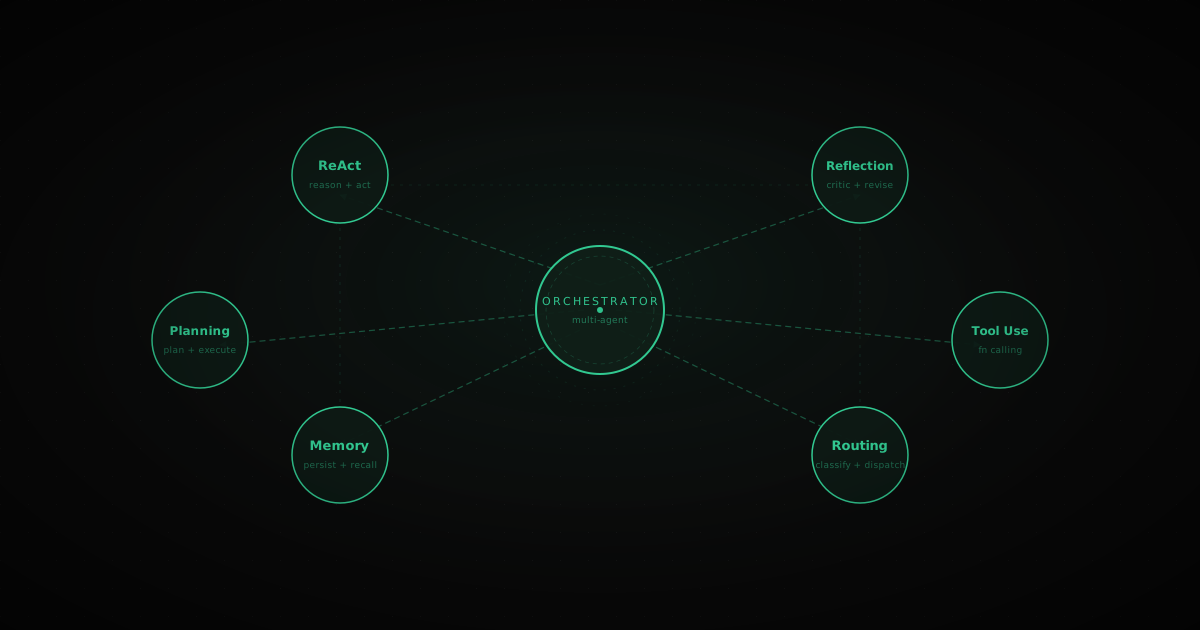
What it is: An orchestrator agent delegates work to specialized sub-agents by calling them as if they were tools. Each sub-agent is a full agent with its own tools, system prompt, and context. The orchestrator coordinates without doing the work itself.
Analogy: A project manager who assigns tasks to specialists. The PM doesn't write code or design mockups — they coordinate who does what, chase results, and assemble the deliverable.
The key difference from Parallelization: Sub-agents are called by the orchestrator's tool-use loop. The orchestrator decides dynamically which sub-agent to call and when, based on what it has learned so far. Parallelization is static (decompose upfront, fan out all at once).
Use when: Tasks are too large or varied for a single context window. When sub-tasks need different tools or expertise that shouldn't be mixed together.
Don't use when: A single ReAct agent with all the tools can handle it. Sub-agents add latency and complexity.
import anthropic
import json
client = anthropic.Anthropic()defresearch_agent(query:str)->str:"""Sub-agent specialized in web research.""" response = client.messages.create( model="claude-haiku-4-5-20251001", max_tokens=512, system="You are a research assistant. Summarize findings clearly and cite key facts.", messages=[{"role":"user","content":f"Research this and summarize: {query}"}],)return response.content[0].text
defanalysis_agent(data:str)->str:"""Sub-agent specialized in structured analysis.""" response = client.messages.create( model="claude-haiku-4-5-20251001", max_tokens=512, system="You are a data analyst. Extract patterns, numbers, and actionable insights.", messages=[{"role":"user","content":f"Analyze this data:\n{data}"}],)return response.content[0].text
defwriter_agent(brief:str)->str:"""Sub-agent specialized in writing.""" response = client.messages.create( model="claude-sonnet-4-6", max_tokens=1024, system="You are a professional writer. Produce clear, engaging prose.", messages=[{"role":"user","content": brief}],)return response.content[0].text
# Register sub-agents as tools for the orchestratorsub_agent_tools =[{"name":"research","description":"Delegate a research task to the research sub-agent. Use when you need current information, facts, or background on a topic.","input_schema":{"type":"object","properties":{"query":{"type":"string","description":"The research question or topic"}},"required":["query"]},},{"name":"analyze","description":"Delegate structured analysis to the analysis sub-agent. Use when you have data or findings that need interpretation.","input_schema":{"type":"object","properties":{"data":{"type":"string","description":"The data or findings to analyze"}},"required":["data"]},},{"name":"write","description":"Delegate writing to the writer sub-agent. Use when you have all the content and need it turned into polished prose.","input_schema":{"type":"object","properties":{"brief":{"type":"string","description":"What to write and any content to incorporate"}},"required":["brief"]},},]defdispatch(tool_name:str, inputs:dict)->str:if tool_name =="research":return research_agent(inputs["query"])if tool_name =="analyze":return analysis_agent(inputs["data"])if tool_name =="write":return writer_agent(inputs["brief"])returnf"Unknown sub-agent: {tool_name}"deforchestrator(goal:str)->str: messages =[{"role":"user","content": goal}] system ="""You are an orchestrator. You coordinate specialist sub-agents to accomplish complex goals.
Break the goal into steps, delegate each step to the right sub-agent, and synthesize their outputs.
Do not do the work yourself — delegate it."""whileTrue: response = client.messages.create( model="claude-sonnet-4-6", max_tokens=2048, system=system, tools=sub_agent_tools, messages=messages,) messages.append({"role":"assistant","content": response.content})if response.stop_reason =="end_turn":returnnext((b.text for b in response.content ifhasattr(b,"text")),"") tool_results =[{"type":"tool_result","tool_use_id": b.id,"content": dispatch(b.name, b.input)}for b in response.content if b.type=="tool_use"] messages.append({"role":"user","content": tool_results})if __name__ =="__main__": result = orchestrator("Write a 300-word article on why Python is still the dominant language for AI in 2026.")print(result)
What it is: LLM calls are stateless by default — each one starts from scratch. Memory patterns add persistence across turns. There are three layers, and you usually need all three in production.
Layer
What it stores
How
In-context
Current conversation
The messages list passed to each call
Short-term external
Recent sessions, working notes
Redis, a database row
Long-term external
User preferences, domain knowledge
Vector database (retrieved by semantic search)
Analogy: Your working desk (in-context), a notepad you can flip to (short-term), and a filing cabinet (long-term).
Use when: Sessions span multiple turns, or users expect the agent to remember who they are and what they've told it.
Don't use when: Each task is fully self-contained. Memory adds complexity and storage cost you don't need.
When conversation history grows long, compress old turns into a rolling summary rather than truncating them.
python
import anthropic
from dataclasses import dataclass, field
client = anthropic.Anthropic()@dataclassclassMemory: summary:str="" recent:list[dict]= field(default_factory=list) max_recent:int=10defadd(self, role:str, content:str): self.recent.append({"role": role,"content": content})iflen(self.recent)> self.max_recent: self._compress()def_compress(self): to_compress = self.recent[:-4] response = client.messages.create( model="claude-haiku-4-5-20251001", max_tokens=512, messages=[{"role":"user","content":f"""Summarize this conversation.
Preserve: key facts, decisions made, anything the user said about themselves or their goals.
Existing summary: {self.summary or'None'}New messages:
{chr(10).join(f"{m['role']}: {m['content']}"for m in to_compress)}Updated summary:"""}],) self.summary = response.content[0].text
self.recent = self.recent[-4:]defbuild_messages(self, new_message:str)->list[dict]: messages =[]if self.summary: messages +=[{"role":"user","content":f"[Conversation so far: {self.summary}]"},{"role":"assistant","content":"Got it. Continuing with that context."},] messages.extend(self.recent) messages.append({"role":"user","content": new_message})return messages
defstateful_agent(memory: Memory, user_message:str)->str: response = client.messages.create( model="claude-sonnet-4-6", max_tokens=1024, system="You are a helpful assistant with memory of previous conversations.", messages=memory.build_messages(user_message),) reply = response.content[0].text
memory.add("user", user_message) memory.add("assistant", reply)return reply
if __name__ =="__main__": mem = Memory()for turn in["My name is Priya and I'm building B2B SaaS for logistics.","What pricing models work well for logistics software?","We target mid-market companies with 100-500 employees.","Given what you know about me, what's the right pricing tier structure?",]:print(f"User: {turn}")print(f"Agent: {stateful_agent(mem, turn)}\n")
What it is: The agent pauses at defined checkpoints and waits for a human to approve, reject, or redirect before continuing. The agent is not fully autonomous — a person stays in control of consequential decisions.
Analogy: A junior employee who can draft emails, prepare reports, and research options — but must get sign-off before sending or publishing anything.
Use when: The agent takes irreversible actions (send email, write to production database, deploy code, make a purchase). Or when the cost of a wrong decision is high.
Don't use when: The task is read-only and low-stakes. Constant approval gates make agents frustrating to use.
import anthropic
client = anthropic.Anthropic()defagent_plan(goal:str)->str: response = client.messages.create( model="claude-sonnet-4-6", max_tokens=512, messages=[{"role":"user","content":f"""You are about to help with this goal: {goal}Write a brief plan (3-5 bullet points) of exactly what actions you will take.
Be specific — include what files you'll write, what emails you'll send, etc.
Wait for approval before doing anything."""}],)return response.content[0].text
defagent_execute(goal:str, plan:str)->str: response = client.messages.create( model="claude-sonnet-4-6", max_tokens=2048, messages=[{"role":"user","content":f"""Goal: {goal}Approved plan:
{plan}Execute the plan now and report what you did."""}],)return response.content[0].text
defhuman_in_the_loop(goal:str)->str:print(f"\nGoal: {goal}")print("\n--- Agent's Plan ---") plan = agent_plan(goal)print(plan) approval =input("\nApprove this plan? (yes / no / <redirect instructions>): ").strip().lower()if approval =="yes":print("\n--- Executing ---")return agent_execute(goal, plan)elif approval =="no":return"Task cancelled by user."else:# User provided redirect instructions — revise and ask again revised_plan = client.messages.create( model="claude-sonnet-4-6", max_tokens=512, messages=[{"role":"user","content":f"""Original plan:
{plan}User feedback: {approval}Revise the plan to address this feedback."""}],).content[0].text
print("\n--- Revised Plan ---")print(revised_plan) final_approval =input("\nApprove revised plan? (yes / no): ").strip().lower()if final_approval =="yes":return agent_execute(goal, revised_plan)return"Task cancelled after revision."if __name__ =="__main__": result = human_in_the_loop("Draft and send a follow-up email to all leads who haven't responded in 7 days.")print(f"\nResult: {result}")
In production, replace input() with a Slack message, a UI approval button, or a webhook — but the pattern is the same: pause, present, wait, proceed or abort.
Agentic systems fail in ways that single LLM calls don't. These are the most common:
Infinite loops — the model keeps calling tools without making progress. Fix: set a hard max_iterations limit and log each iteration.
Tool hallucinations — the model invents arguments for tools or calls tools that don't exist. Fix: validate tool inputs against their schema before executing. Return structured error messages, not exceptions.
Context overflow — long pipelines fill the context window. Fix: use the Memory pattern's summary compression. Prune intermediate tool results aggressively; the model doesn't need the full raw output of every tool call.
Cascading failures in sub-agents — one slow or failing sub-agent blocks the whole pipeline. Fix: use timeouts on every sub-agent call. Return partial results with an error flag rather than failing the whole orchestration.
python
import signal
from contextlib import contextmanager
@contextmanagerdeftime_limit(seconds:int):defhandler(signum, frame):raise TimeoutError(f"Agent timed out after {seconds}s") signal.signal(signal.SIGALRM, handler) signal.alarm(seconds)try:yieldfinally: signal.alarm(0)try:with time_limit(30): result = react_agent("Research task...")except TimeoutError: result ="Agent timed out. Partial results available."
Start with Prompt Chaining + Tool Use. Add ReAct when sequences become unpredictable. Add Plan-and-Execute or Sub-Agents when tasks get large. Add Evaluator-Optimizer when quality is the bottleneck. Add Memory for stateful sessions. Add Human-in-the-Loop before any irreversible action.
Every pattern you add is a complexity tax. Pay it only when you've hit the specific wall it solves.