Vercel Agent Browser: How AI Agents Can Now Drive Real Browsers
Vercel's Agent Browser gives AI agents a real browser they can operate — not just read. Here's what it is, the screenshot-plus-element-reference model behind it, and where it fits.

For the last two years, "AI can browse the web" mostly meant one thing: the model could read a page. It could fetch HTML, summarise an article, extract a table. What it usually could not do was operate the page — click the button, fill the form, dismiss the modal, move to the next step.
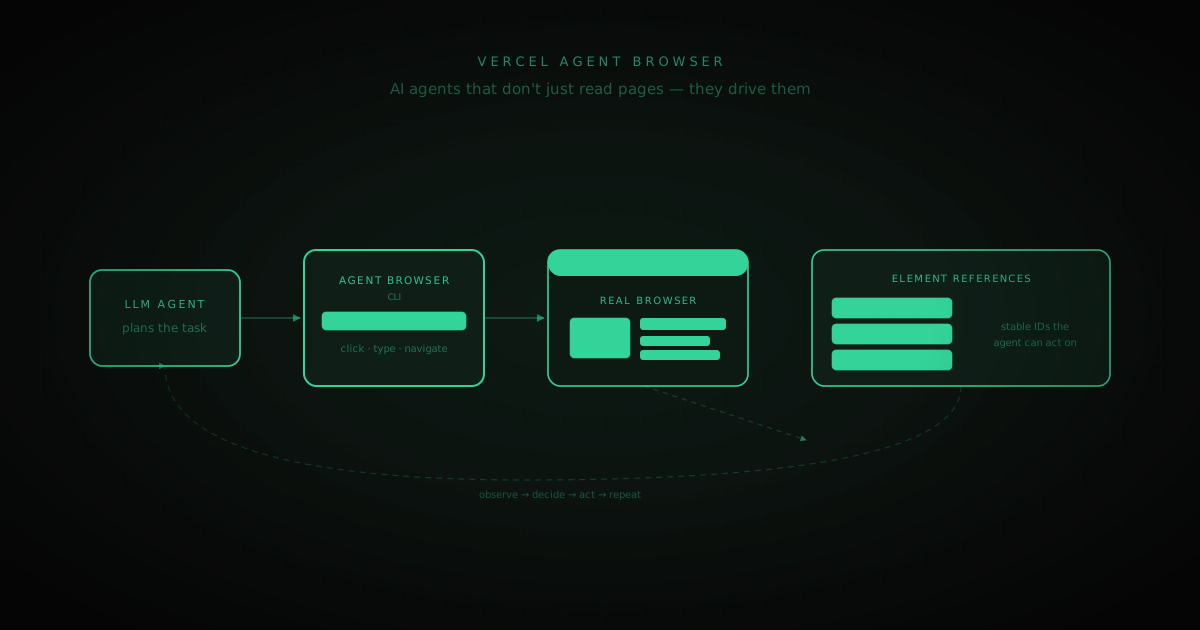
Vercel's Agent Browser (vercel-labs/agent-browser) is aimed squarely at that gap. It's a command-line tool that gives an AI agent a real browser it can drive — see the page, and act on it. This post covers what it actually is, the model it uses to make a browser legible to an LLM, where it fits alongside Vercel's AI SDK, and its honest limits.
The problem it solves
An LLM is good at deciding what to do next. It is bad at the mechanics of doing it in a browser. A raw DOM is enormous, noisy, and full of markup that has nothing to do with the task. Coordinates from a screenshot drift the moment the layout shifts. And a plain "click at x=440, y=712" is brittle — one re-render and the agent is clicking empty space.
So an agent that wants to book a flight, submit a support ticket, or complete a multi-step checkout needs three things the model doesn't have on its own:
- 02A faithful view of the current page — what's actually on screen right now.
- 04A stable way to name the things it wants to interact with — "the search box", not "the input roughly 300px from the top".
- 06A way to perform the action and get the resulting page back — a loop.
Agent Browser packages exactly this into a CLI an agent can call.
The model: screenshots plus element references
The core idea is a screenshot annotated with element references. Rather than dumping raw HTML at the model, Agent Browser captures the page and returns a set of numbered, interactive elements — the search box is [3], the login button is [7], the "add to cart" control is [12].
That annotation layer is what makes the browser legible to an LLM:
- The model sees a compact list of things it can act on, not thousands of DOM nodes.
- Each element has a stable reference the agent can target — "type into
[3]", "click[7]" — instead of fragile pixel coordinates. - After each action, the agent gets a fresh view and picks its next move.
The result is the classic agent loop, but grounded in a real page:
Because it drives a real browser, the agent sees what a user sees — JavaScript-rendered content, logged-in state, dynamic components — rather than the stripped-down HTML a simple fetch returns.
Where it fits: AI SDK 7 and the agent platform
Agent Browser didn't land in isolation. It arrived alongside Vercel's push to turn its AI SDK into a full agent platform. AI SDK 7 reframed the library from chat primitives into a platform for building, running, and observing agents — including skills, packaged, production-ready capabilities an agent can call on demand.
Agent Browser slots in as one of those skills: the piece that lets an agent take action on the open web, not just call your internal APIs. If AI SDK 7 is the harness — the loop, the tool calls, the observability — Agent Browser is a tool that harness can hand to the model when a task requires operating a website.
A minimal mental model of using it:
You wire that into the agent loop; the model supplies the judgement about which element to touch and when the task is complete.
Honest limits
New capability, same old caveats. A few worth stating plainly:
- It's early. This is a labs-stage CLI. Treat APIs and ergonomics as moving targets, and pin versions if you build on it.
- Agents driving browsers are not deterministic. The model can misread a page, click the wrong reference, or loop. Production use needs guardrails — action approvals for anything destructive, retries, and a hard cap on steps.
- Real sites fight back. Bot detection, CAPTCHAs, rate limits, and aggressive anti-automation don't disappear because an agent is smarter about clicking. An agent that can operate a page still has to be allowed to.
- Cost and latency scale with the loop. Every observe-decide-act cycle is a screenshot in and a model call out. Long tasks mean many round trips. This is where token optimization and context engineering stop being nice-to-haves.
None of these are reasons to skip it — they're the reason to scope it. Agent Browser is best where a task genuinely requires operating a site step by step and the value justifies the loop.
How this differs from CrawlPilot
People building in this space sometimes ask where a tool like this leaves point-and-click extractors. The honest answer: they're different tools for different jobs.
Agent Browser is for agents that need to act — navigate a multi-step flow, make decisions mid-task, operate a site the way a person would. It's open-ended and model-driven, and you pay for that flexibility in tokens and non-determinism.
CrawlPilot is for getting structured data out — you point at a product grid or an article feed, and it extracts clean rows to CSV or JSON, deterministically, with no model in the loop for the extraction itself. When you already know what you want off a page, you don't need an agent reasoning about it — you need a fast, repeatable extractor.
In practice the two are complementary. An agent might use a browser-driving tool to reach and unlock a page; a structured extractor is what you reach for once you're there and just need the data, at scale, the same way every time.
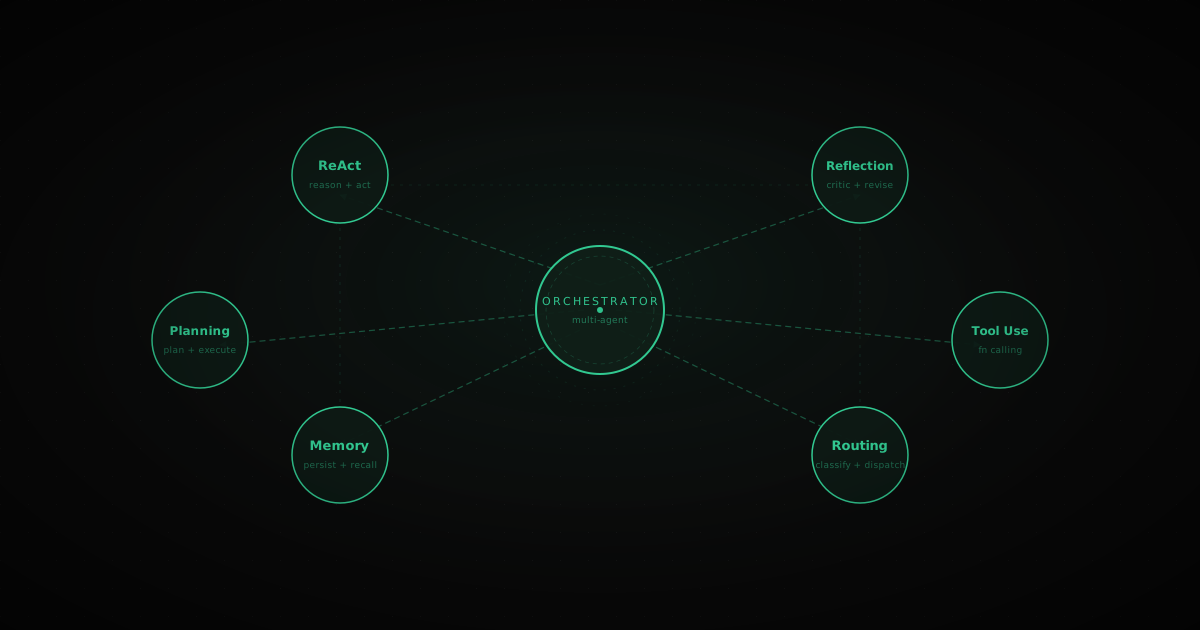
If you want to see the no-code, deterministic side of that story — extracting structured data from a page in a few minutes with no code and no agent loop — the getting started guide walks through CrawlPilot's List Extractor end to end. And if you're building agents yourself, the agentic design patterns post covers the loop shapes a browser-driving tool plugs into.