Cloudflare Now Sorts AI Agents by Who Sent Them: What Site Owners and Agent Builders Should Do
On November 4, 2026 Cloudflare gave sites a Personal Assistants traffic category and per-agent access rules, and a day later argued that agents break the link between websites and their users. What shipped, what it can and can't see, and what to change on each side.

Most people who run a site behind Cloudflare know it can block AI crawlers, and since July it has separated crawlers that build search indexes from those that collect training data and from agents acting for users. What changed on November 4 is narrower and more interesting: Cloudflare now breaks that agent traffic down further, into the specific personal assistants making requests on someone's behalf, and lets you treat each one differently. Cloudflare's announcement says the goal is to let sites welcome agents on their own terms. A day later, a much longer Cloudflare paper explained why those terms are still hard to set.
What Shipped on November 4
Two things, both inside the Cloudflare dashboard.
Visibility. In Security Analytics, the Bot Analysis chart gains a Personal Assistants category next to Verified Bot, Likely Human, Likely Automated and Automated, according to Unite.AI's summary of the announcement. A Personal Assistants widget under Top statistics names the agents visiting a site and counts each one's requests, and filters show the paths requested, the response codes and the originating networks (Remio). That is enough to see whether an agent is reading product pages, reaching checkout or failing on pages it can't use.
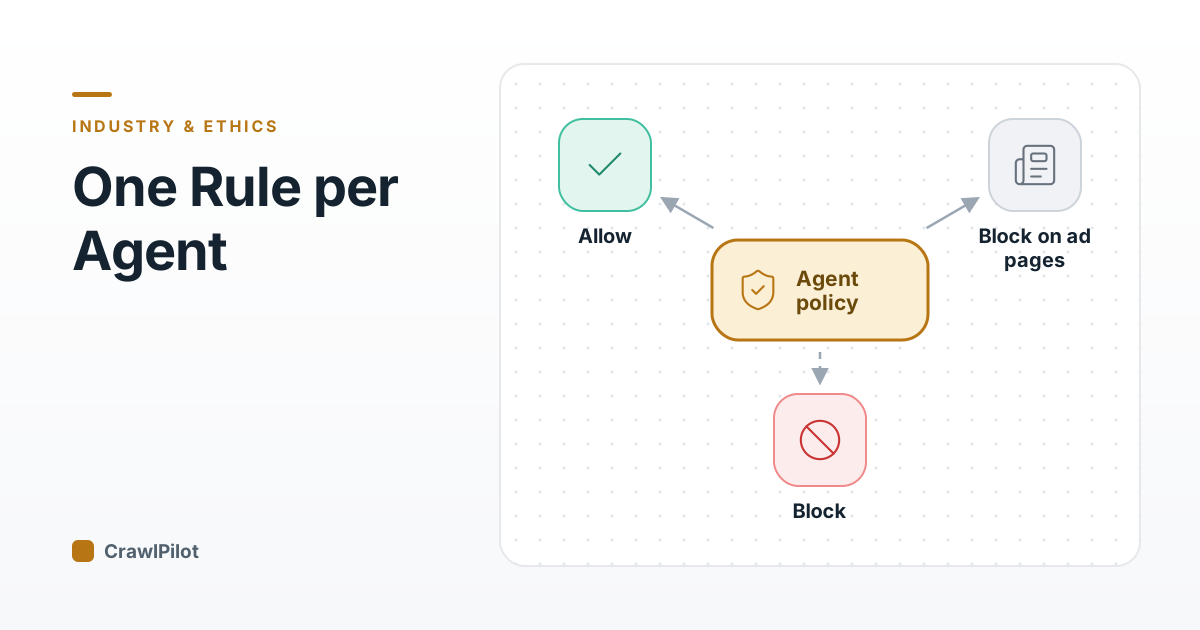
Control. The Agents policy is renamed AI Crawler and Agent access policies. You set an overall Agents policy, then pick a different one for any supported personal agent: Allow (do not block), Block on pages with ads, or Block. Agents you don't configure inherit the overall policy. Search and Training policies don't change. Step through how a request is decided:
- A request arrives from an AI agent. Cloudflare's bot detection decides whether it is search, training or agent traffic; Search and Training keep their own unchanged policies.
- If it is a supported personal agent with its own rule, that rule wins. Here the site has chosen Allow for one assistant it wants to welcome.
- Any agent without its own rule falls back to the overall Agents policy, for example Block on pages with ads.
- A site can also block one specific personal agent everywhere while leaving the others alone.
4 steps. Press Play to walk through them, or click any part of the diagram.
The combination Cloudflare itself gives as an example is the useful one: set the overall Agents policy to block on pages with ads, then allow a specific assistant you want customers to use (the announcement, syndicated). The dashboard path is Security Settings, then AI Crawler and Agent access policies.
Account-level view, for some. Sites on Account Abuse Protection get a further view showing which personal agents are active across their users and how many accounts use each. Login and sign-up events then show whether an agent made the request and which one (Technobezz). That product is in early access for Bot Management Enterprise customers, so most sites won't have it.
Where This Sits Next to July and September
This is the third step in a sequence, and the earlier two still apply:
- Jul 1, 2026Search, Agent and Training split
AI traffic policies separate the three behaviours, each with allow, block, or block only on pages with ads.
Cloudflare changelog - Sep 15, 2026New defaults for new sites
New zones default to allowing search but blocking training and agent use on pages with ads.
Cloudflare announcement (reprinted) - Nov 4, 2026Per-agent rules for personal assistants
A Personal Assistants traffic category and a separate policy for each supported personal agent.
Cloudflare blog - Nov 5, 2026"Agents aren't humans (but they kinda are)"
A position paper on what sites lose when an agent stands between them and their users.
Cloudflare blog - Next · pendingCarrying the user relationship through agents
Cloudflare names this as its next goal; no mechanism is shipped yet.
If you set up a site after September 15, you already block agents on ad pages by default, and the new per-agent rules are how you carve out exceptions. We covered the September change and what it means for scrapers in our post on the September 15 defaults.
What a Site Still Can't See
The November 5 paper, Agents aren't humans (but they kinda are), is the more important of the two posts. It opens with Ezra, a personal assistant who runs errands for several clients. None of the shop owners she visits objects to Ezra; their problem is that they can only see her, not the person she's buying for. Swap Ezra for an AI agent and the shops for websites, the paper says, and that is the web today.
From there, according to PPC Land's write-up, Cloudflare lists fourteen problems that land on the website: fraud and disputed purchases it can't attribute, unauthorized card use, legal duties such as age or geographic restrictions that agents can't currently guarantee, and the loss of the customer relationship itself. Its principle is that the business relationship between users and sites, and each side's security responsibilities, should survive the agent in the middle. Cloudflare also announced a Trusted Agent Delegation coalition to work on standards for it (explainx).
- That the request is from a personal agent, and which supported one
- Paths, response codes and networks for that agent's traffic
- With Web Bot Auth, a cryptographic proof of which operator sent it
- Which human the agent acts for, except via early-access account tools
- Who the agent works for, so one abusive user can be stopped without blocking everyone using that agent
- Proof the user approved this specific action, such as a purchase
- Guarantees strong enough for age and location rules
- Enough context to keep personalising and getting value from the visit
Verdict: The new switches act on the agent. The problems Cloudflare describes are about the person behind it, and that needs standards that don't exist yet.
That gap matters in practice. Blocking an agent because one of its users commits fraud blocks every honest user of the same agent. Cloudflare's position, as PPC Land summarises it, is that it wants open standards letting an agent prove both who it is and who it works for. In the meantime, sites can see agents, gate them on ad pages, and act against single accounts where they have Account Abuse Protection.
If You Run a Site
- 01Look before you set rules. Open the Personal Assistants category for a week of traffic. Which agents reach your checkout, your login, your search pages? Which fail?
- 02Decide per page type, not per site. "Block on pages with ads" exists because ad-funded pages lose money when an agent reads them, while product and checkout pages may gain a sale. A store and a publisher should land in different places.
- 03Allow the agents your customers use. If a supported assistant drives real orders, give it Allow even if your overall policy gates ad pages.
- 04Remember what the switch doesn't do. An allowed agent still logs in as your user, so your own rate limits, fraud checks and terms of service still apply. Cloudflare publishes sample terms of service language for AI and scraping if yours don't mention it.
If You Build an Agent or a Scraper
The direction is clear: agents that identify themselves get rules they can rely on, and agents that don't get treated as generic automation.
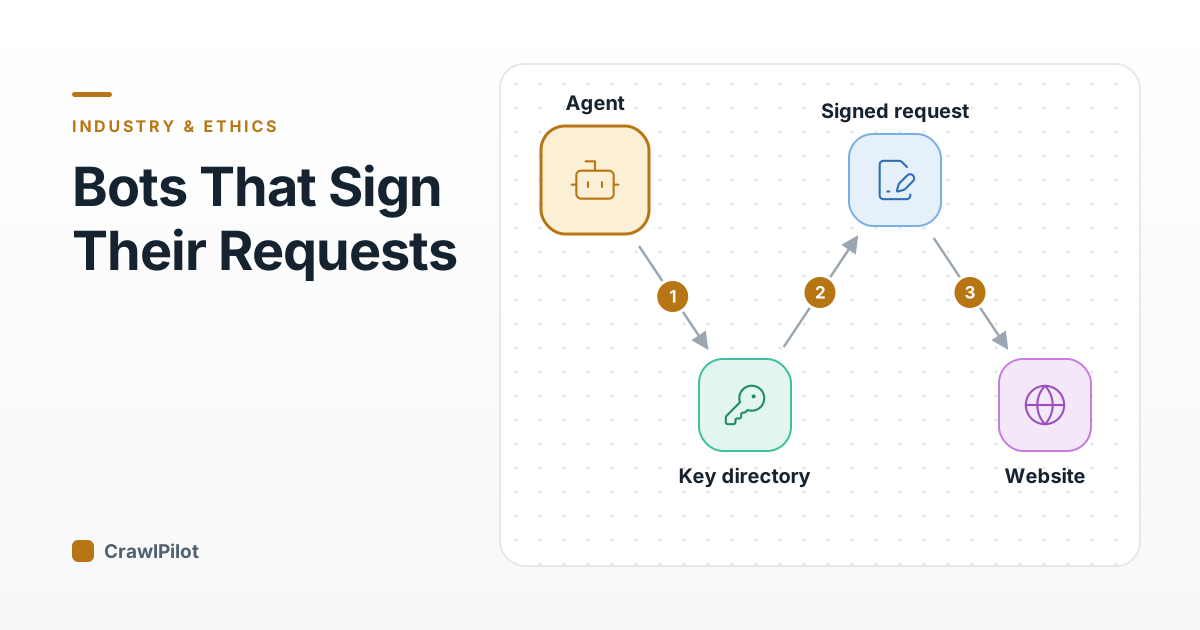
- Identify the operator. Sign requests with Web Bot Auth so a site, and Cloudflare, can verify who sent them. Our Web Bot Auth explainer shows what a signature proves and what it doesn't.
- Behave the same as you declare. A declared agent that suddenly fans out across thousands of pages will end up classified by behaviour, not by its name.
- Expect enforcement per account. Account-level views mean one bad user of your agent can be cut off without the site blocking your agent entirely. Abuse controls on your side protect every other user's access.
- Plan for ad pages being closed. If your product reads publishers' content, assume default policies now block you on ad-funded pages unless the site opts you in.
Q1A site sets its overall Agents policy to 'Block on pages with ads' and gives one personal assistant 'Allow'. What happens to a different personal agent with no rule of its own?
Q2Which problem does Cloudflare's November 5 paper say the new controls don't yet solve?
What shipped
- Personal Assistants category in Security Analytics, plus a per-agent widget.
- Filters by path, response code and network.
- Setting renamed AI Crawler and Agent access policies.
The rules
- Per supported agent: Allow, Block on pages with ads, or Block.
- Agents without a rule inherit the overall Agents policy.
- Search and Training policies are unchanged.
For site owners
- Watch a week of agent traffic before setting rules.
- Gate ad pages; allow the agents your customers buy through.
- Your own login, fraud and rate limits still apply.
For agent builders
- Sign requests with Web Bot Auth so sites can verify the operator.
- Keep behaviour consistent with what you declare.
- Expect per-account enforcement and closed ad pages by default.
Sources
- See the agents, set the terms: new visibility and control for personal agents, Cloudflare blog, November 4, 2026 (syndicated copy)
- Agents aren't humans (but they kinda are), Cloudflare blog, November 5, 2026 (syndicated copy)
- Cloudflare Trusted Agent Delegation, explainx
- Account Abuse Protection (Early Access), Cloudflare docs
- Bots changelog, Cloudflare docs
- Sample terms, Cloudflare docs
Related posts
More in Industry & Ethics →
The EDPB's Draft Web Scraping Guidelines: What They Ask of AI Scrapers, and How to Comment by October 30
Oct 25, 2026
Meta's New Crawling Terms: What Publishers With a Facebook Page Agree To on November 20
Oct 24, 2026
Reddit v. SerpApi: The DMCA Ruling That Reached a Scraper's Customer
Oct 22, 2026
Web Bot Auth, Explained: How Signed Requests Let a Site Verify Which AI Agent Is Calling
Oct 19, 2026