Design a Durable Runtime for Long-Running AI Agents: Journals, Replay and Exactly-Once Side Effects
An agent crashes 40 minutes and 11 tool calls into a task. This system design shows how a durable runtime resumes it without paying for the model calls again or sending the email twice: event journals, deterministic replay, activities, idempotency keys, timers, human approval signals, versioning, history truncation and sharding.

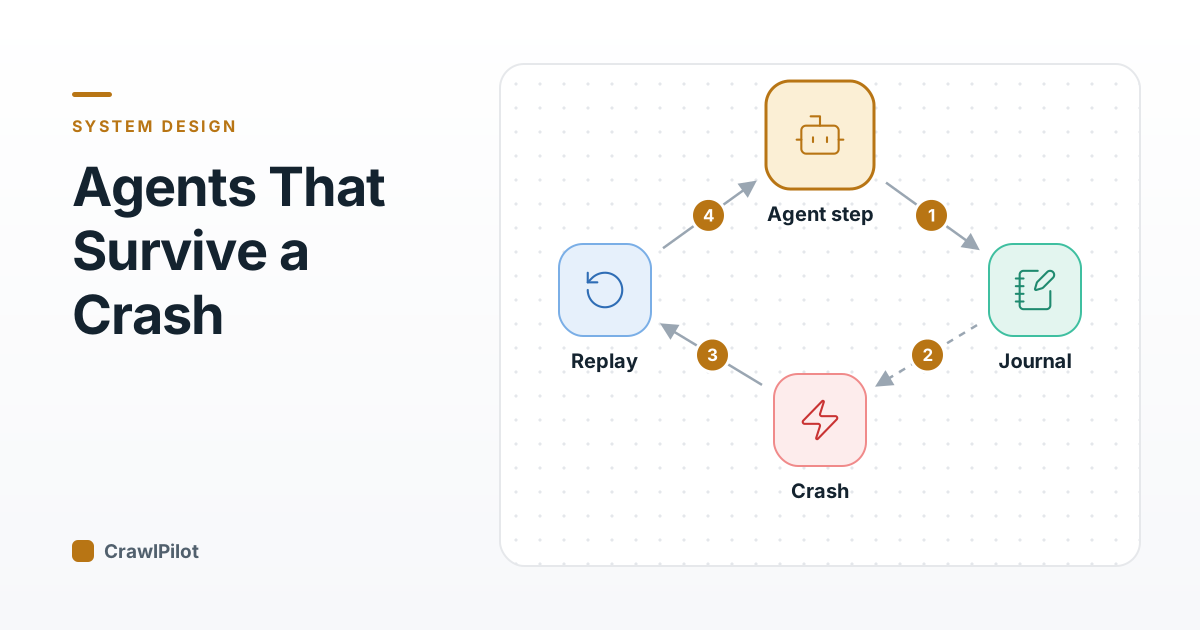
Picture an agent forty minutes into a research task. It has paid for four model calls, run eleven tools, written a report to disk and emailed it to a client. Then the node it runs on is reclaimed. The retry that follows pays for all four model calls again, reruns all eleven tools and, unless someone planned for it, emails the client a second time. The crash itself took a second; the bill for it is forty minutes of work, the model spend and one awkward email.
That bill is why durable execution stopped being a niche workflow topic in 2026. Temporal raised $550M at a $12.55B valuation, announced September 14, and the report ties the demand to agents that "can run for hours or days and call many tools and systems". As co-founder and CEO Samar Abbas put it: "every additional step creates another place to fail." A few weeks later, Restate's $20M Series A led by Singular was reported. I'm not ranking vendors here. Temporal, Restate and Inngest each implement the same core idea in their own way, and this post designs that idea from scratch: a runtime that lets an agent crash at any step and resume as if nothing happened.
The Loop That Lives in One Process
Most agent code starts as a while-loop: ask the model what to do, run the tool it picks, append the result to a list, repeat. The transcript, the plan and the half-written report all live in that one process's memory. It's the right design for a two-minute task. It's the wrong one for a task that outlives a deploy.
- The analyst starts a task. The loop keeps the transcript, the plan and every result in a list in memory.
- Forty minutes of real work: four model calls and eleven tool calls, including a file write and an email.
- A deploy, an out-of-memory kill or a spot reclaim ends the process. Nothing it learned was written anywhere else.
- The queue redelivers the task. The new worker has only the original prompt, so it runs every step again, the email and the charge included.
4 steps. Press Play to walk through them, or click any part of the diagram.
Two things make the naive retry worse for agents than for an ordinary job. Model calls are slow and paid, so rerunning a long task costs real money and the user waits through all of it again. And the second run doesn't even repeat the first one: the model samples a different plan, so the agent may search for different things, write a different report and send a second, different email. Retrying a non-deterministic program doesn't redo the same work, it does new work.
The obvious patch is checkpointing: dump the agent's state to a database every few steps. That helps, but it leaves the hard questions open. Which state? Taken before or after the email went out? And what happens when the code that reads the checkpoint has changed since it was written? A durable runtime answers all three by recording something smaller and stricter than state.
Write Down Every Answer Before Using It
The runtime's core data structure is an event history (a journal) per run: an append-only list of what was asked of the outside world and what came back. The agent code itself is never saved. Instead, every call that leaves the process (a model call, a tool call, a sleep) goes through the runtime, which writes it down first.
- The agent code reaches call_model(). Instead of calling the API itself, the worker sends the runtime a command: schedule step 7.
- The runtime appends StepScheduled to the run's history before anything runs. From now on, step 7 exists even if every worker dies.
- The runtime puts a task on the queue for that step type; an activity worker polls and takes it.
- The activity worker makes the one real call to the model, with its own timeout and retry policy.
- It reports the result back. The runtime appends StepCompleted with the model's answer (or a pointer to it in blob storage).
- Only now does the workflow worker get the new events and let the agent code continue with the answer.
6 steps. Press Play to walk through them, or click any part of the diagram.
Two kinds of code show up here, and the split is the whole design. Workflow code is the agent's control flow: the loop, the branching on what the model said, the decision of which tool to call next. It must be deterministic, because the runtime will run it again. Activities are everything that touches the world: model calls, tool calls, database writes, emails. They can be as non-deterministic as they like, because the runtime records their results and never runs a completed one again.
The order in step 2 matters more than it looks. The runtime records the intent before the call and the result after it, so after a crash it can always tell the three cases apart: never started, started but unfinished, finished with this answer.
Here is the same step as messages on the wire. The field names are illustrative, not any vendor's API.
6 messages. Press Play, or pick one, to see exactly what is sent.
Crash It and Watch the Replay
Now kill the worker. Recovery doesn't need a checkpoint format, because the history already is one: a new worker runs the agent code from the first line, and every time the code asks for a step that has a result in the history, the runtime hands back that result instead of doing the work.
- Worker 1 dies mid-step. The runtime finds out when the step's heartbeat or start-to-close timeout expires, not from the dead worker.
- The runtime gives the run to any healthy worker along with its full history.
- Worker 2 runs the agent code from the top. Each call_model() and tool call for steps 1 to 7 returns its recorded answer in microseconds; the code takes exactly the branches it took before.
- At step 8 the history runs out, so this call goes to the model for real, and the run carries on as if nothing happened.
4 steps. Press Play to walk through them, or click any part of the diagram.
Restate's docs describe the same mechanism: each step and its result go into a journal, and on failure the handler is replayed, skipping steps already recorded as complete. Inngest identifies each step by a hash of its ID and returns the saved output instead of running the step again. Different APIs, same journal.
Try it. The widget below runs a seven-step task. The crash is set on "Send email" by default; move it with Crash here, or press Crash now while it runs. Then restart the worker under each strategy and compare the counters.
- PlanLLM callwaiting
- Search webtool, read-onlywaiting
- SummariseLLM callwaiting
- Write filereport.mdwaiting
- Send emailto the clientwaiting
- Charge card$49 invoicewaiting
- Final answerLLM callwaiting
The worker will crash during step 5, Send email. Press Run, or move the crash with "Crash here".
- Nothing written yet. Press Run.
With the defaults, three things stand out. Naive retry pays for five model calls instead of three and repeats about half an hour of simulated work. Durable replay reuses the four recorded steps instantly and redoes one minute of work. And both strategies send the email twice, which is the next problem.
- Nothing to build beyond a queue
- Fine for tasks under a minute
- Re-pays every model call and repeats all the waiting
- The model may pick a different plan on the second run
- Every side effect happens again
- Only the in-flight step runs again
- Same decisions on replay, because the recorded answers are reused
- The history doubles as an audit log of the run
- Agent code must be deterministic
- Code changes need versioning
- History grows with every step and needs truncating
Verdict: Anything that runs longer than a deploy or calls a paid model more than a couple of times should journal and replay; keep retry-from-scratch for short, read-only jobs.
What May Run in Agent Code, and What Must Be Recorded
Replay has one strict rule: running the workflow code again against the same history must issue the same steps in the same order. Temporal's docs put it bluntly: "Workflow code must be deterministic to support replay", and if the commands produced on replay don't match the recorded history, the run fails with a non-determinism error instead of continuing on a guess. To watch it happen on a real Temporal server, see a checkout saga whose worker is killed mid-run.
For an agent, that sorts code into two piles:
- Must be an activity (recorded): every model call, every tool call, every HTTP request, every database read whose answer could change, random numbers, UUIDs and the current time. A model call is the extreme case: a different answer each time, seconds of latency and a per-token price. If it ran again on replay, the agent could take a different branch from the one in the history and the replay would fall apart.
- May stay in workflow code (re-run on replay): the loop, parsing the model's JSON, deciding which tool to call based on a recorded answer, string formatting, counters. All of it is cheap and gives the same output for the same recorded inputs.
The runtime's SDK should make the safe path the easy one: ctx.now(), ctx.random() and ctx.uuid() that read from and write to the history, and a lint or sandbox that flags time.now() or a raw HTTP client inside workflow code. A mistake here won't fail on the first run; it fails weeks later, on the first replay, which is the worst possible time to find it.
Two more choices matter for agents specifically. Store large payloads (prompts, page text, model answers) in blob storage and keep only a reference and a digest in the history, so the history stays small and replay stays fast. And give each step type its own task queue: model calls, browser tools and email go to separate pools with their own concurrency limits, so a burst of slow browser steps can't starve the model calls.
Replay Is At-Least-Once, So Side Effects Need Keys
Run the widget once more with the crash on "Send email". The durable run sends it twice too. That isn't a bug in the simulator; it's the honest guarantee. The activity worker sent the email and died before the runtime recorded StepCompleted. On restart the history says "scheduled, never finished", and the only safe move is to run the step again. A durable runtime gives you at-least-once execution of each step and exactly-once recording of its result. Exactly-once effects are your job.
The standard fix is an idempotency key that the receiving system checks. Stripe's API is the textbook example: send an Idempotency-Key header and a retry with the same key returns the saved response from the first request instead of charging again; Stripe also compares the parameters and errors if they differ, and may prune keys after 24 hours. The runtime's job is to make a good key free: derive it from the run id and the step's sequence number (task-7f3/step-9), which stays the same on every retry and every replay and never collides with another run.
- Retry sends a second email
- A charge step bills the card twice
- Nothing in the history shows it happened
- Provider sees the same key and drops the duplicate
- Key survives retries, replays and new workers
- Needs a provider that supports keys, or your own dedupe table in front of it
Verdict: Every step with an outside effect takes a key derived from run id and step number; where the provider has no key support, put a dedupe table with a unique constraint in front of it.
Turn on Idempotency keys in the widget and rerun either strategy: the duplicate counter stays at zero, and the tile says how many retried calls were deduplicated. Notice that the file write never counted as a duplicate. Overwriting report.md with the same content twice is idempotent by nature; appending to it would not be. Sorting steps into "naturally idempotent", "keyed" and "needs a dedupe table" is design work worth doing on paper before writing the agent.
For effects that can't be made idempotent at all (a physical shipment, an SMS through a provider with no key), the fallback is the saga approach from the choreography vs orchestration post: record intent, check the provider's state before acting, and keep a compensating step ready.
Waiting for an Hour, a Day or a Person
Long-running agents spend most of their wall-clock time waiting: on a rate limit, on a crawl, on a manager's approval. A naive loop waits with sleep() and holds a worker, a connection and memory the whole time. A durable runtime turns waits into history events.
A durable timer is a step like any other: the code asks for "wake me in 6 hours", the runtime records TimerStarted and a fire time, and the run is unloaded from every worker. When the timer fires, the runtime appends TimerFired and schedules the run again; a worker replays the history and continues past the sleep. No process was alive in between, so a deploy in the middle changes nothing.
A signal is the same idea driven by the outside world: an external message the runtime appends to a run's history. Human-in-the-loop approval is a signal raced against a timer.
- The agent reaches the refund step and asks to wait for an approve or reject signal, with a 48-hour deadline.
- The runtime records the wait and arms a durable timer. The run is unloaded: no worker, memory or connection is held for two days.
- The account manager taps Approve. Your app sends a signal addressed by run id; the runtime appends SignalReceived with who approved and when.
- The runtime schedules the run. A worker replays the history, the wait returns 'approved', and the refund step runs with its idempotency key.
- If nobody answers, the timer fires first and the code takes the escalation branch instead. Both outcomes are in the history, so the race is decided once and replays the same way.
5 steps. Press Play to walk through them, or click any part of the diagram.
Signals need the same discipline as steps. Deduplicate them by a signal id (a double-tapped Approve button shouldn't count twice), authenticate who sent them, and give every wait a deadline. A run waiting forever for an approval nobody will give is a leak you can't see in a CPU graph.
Changing the Code Under Runs That Started Last Week
Here is the part that bites teams in month two. A run started on Monday with code version 1 is still waiting on Thursday when you deploy version 2, which adds a "check the price again" tool call between steps 5 and 6. The worker replays Monday's history through Thursday's code, the code asks for the new step where the history recorded the email, and replay no longer matches.
There are two workable answers, and Temporal's docs describe both: Worker Versioning, which they recommend, and patching.
- 01Pin runs to the code they started on. Tag every run with the build it started on and keep old workers alive until their runs drain. It's simple and safe, and costs you fleets of old workers when runs last weeks.
- 02Branch on a version marker. The new code asks the runtime
ctx.version("price-recheck"). A new run records "version 2" in its history and takes the new branch; a replaying run finds no marker in its history, gets "version 1" and takes the old path. Once no running history lacks the marker, you delete the old branch.
Whichever you pick, test it: replay a sample of real production histories against every new build in CI, and fail the build on a non-determinism error. It's the only test that catches "I reordered two tool calls" before a live run does.
When the History Gets Too Long
Every step adds at least two events, and an agent that loops (watch a page every hour, process an inbox forever) grows its history without limit. Replay time grows with it, and so does the cost of loading the history on every wake-up. Runtimes put a hard cap on it; Temporal's documented limit is 51,200 events or 50 MB per history, with warnings from 10,240 events or 10 MB.
The fix is to end the run on purpose and start a fresh one carrying only the state that matters. Temporal calls it Continue-As-New: the latest state is passed to a new execution with the same workflow id, a new run id and an empty history. For an agent, that state is a compact summary (the goal, the plan, a summarised transcript, pointers to artifacts), which is the same compaction you'd do anyway to keep the context window in budget. A good rule: continue-as-new at a natural boundary (after each processed item, after each day) and well before the warning threshold, and never inside a pending wait or a half-done step.
Scaling Workers, Queues and the History Store
Put the pieces together and the runtime splits into a stateless edge, a sharded history store with queues, and two worker fleets you scale separately.
- History shards. Every event for one run must be appended in order, so one run lives on exactly one shard, chosen by hashing its id. Temporal assigns each execution to a history shard by hashing its workflow id and namespace, and the shard count can't be changed after setup. That constraint is general: pick a shard count far above today's needs (shards are cheap, resharding a live history store is not) and move shards between history hosts as you grow.
- Workers. Workflow workers are light: they replay code and emit commands, so they scale with the number of active runs. Keep a cache of recently run histories in worker memory so a run that wakes every few seconds doesn't replay from event 1 each time. Activity workers do the slow, paid work and scale with step throughput; size each queue's pool to the downstream limit (your model provider's rate limit, the browser fleet), not to CPU.
- Hot runs. One chatty run can only go as fast as its shard appends. Put big fan-outs (crawl 10,000 pages) into child runs, each with its own history and shard, and have the parent wait on their results.
Back-of-envelope, with illustrative numbers: 50,000 concurrent agent runs averaging one step a minute is roughly 830 steps a second, or about 1,700 history appends a second at two events per step. Spread over 512 shards, that's around three appends per shard per second, which is trivial for any database. The cost isn't the history store; it's the model calls the activity workers make, which is exactly what replay avoids paying for twice.
Check Yourself
Q1A worker dies after the payment provider charged the card but before the runtime recorded StepCompleted. What does a durable runtime do on restart?
Q2Why must a model call be an activity rather than plain workflow code?
Q3A run that started on the old code is still waiting when you deploy code with a new tool call in the middle. What prevents a non-determinism failure?
Journal and replay
- Record intent (StepScheduled) before the call and the result (StepCompleted) after it.
- Recover by re-running the agent code against the history; recorded steps return instantly.
- Only the in-flight step runs again after a crash.
Determinism
- Model calls, tools, HTTP, time, random and UUIDs are activities, recorded once.
- Workflow code is the loop and the branching; it must issue the same steps on replay.
- Keep large payloads in blob storage; the history holds references and digests.
Side effects
- Steps run at least once; results are recorded exactly once.
- Pass an idempotency key built from run id and step number to every outside effect.
- No provider key support: put a dedupe table with a unique constraint in front.
Waits and humans
- Timers and signals are history events; a waiting run holds no worker.
- Race every approval signal against a deadline timer; dedupe signals by id.
Change and growth
- Pin runs to their starting build, or branch on a recorded version marker.
- Replay real production histories against every build in CI.
- Continue-as-new with a compact summary before the history limit.
Scale
- One run lives on one history shard chosen by hashing its id; over-provision shards.
- One task queue per step type; size activity pools to downstream rate limits.
Sources
- The Next Web, Temporal raises $550M Series E at a $12.55bn valuation (September 2026).
- Pulse 2.0, Restate raises $20 million Series A led by Singular (October 2026).
- Temporal docs, Workflow Definition: determinism, replay and versioning.
- Temporal docs, Workflow Execution limits and Continue-As-New.
- Temporal docs, Temporal Server: History Service and history shards.
- Restate docs, Durable execution.
- Inngest docs, How functions are executed.
- Stripe API reference, Idempotent requests.

