Instant Data Scraper vs CrawlPilot: An Honest Comparison
Instant Data Scraper and CrawlPilot are both free Chrome extensions that turn a page into a spreadsheet. Where each is the better pick: one-click tables, many pages, each item's page, re-running, and exports.

If you've ever needed a page as a spreadsheet, you've probably tried Instant Data Scraper. About a million people have installed it, it's rated 4.9 stars on the Chrome Web Store, and it's free. Open it on a page, it guesses the table, you click download.
CrawlPilot is also a free Chrome extension that turns pages into spreadsheets, so the honest question is: when would you use one instead of the other? For a single table on a single page, Instant Data Scraper is hard to beat. The differences show up when the job is bigger than one page: following an item to its own page, running the same scrape again next week, or sending rows somewhere other than a CSV file.
Facts about Instant Data Scraper below come from its Chrome Web Store listing as of October 25, 2026 (version 1.9.3, published by Flavr Technology, LP). Where the listing doesn't mention something, this post says so rather than guessing.
At a Glance
| Instant Data Scraper | CrawlPilot | |
|---|---|---|
| Price | Free | Free, no account |
| How it finds the data | Predicts the most relevant table when you open it; you can adjust the selection | You point at one item; it highlights the list and lets you go wider or narrower |
| More pages | Next button or link, infinite scroll | Finds the Next link itself; also "Load more" buttons and scrolling |
| Each item's own page | Not mentioned in its listing | Add details from each item's page |
| A list of URLs | Not mentioned in its listing | Same details from many pages |
| Exports | Excel, CSV, copy and paste | Excel, CSV, JSON; live Google Sheets sync; webhook, Airtable, Zapier |
| Running it again | Not mentioned in its listing | Saved runs and recipes, with Only new items |
| Where data lives | In your browser, per its listing | In your browser; no analytics |
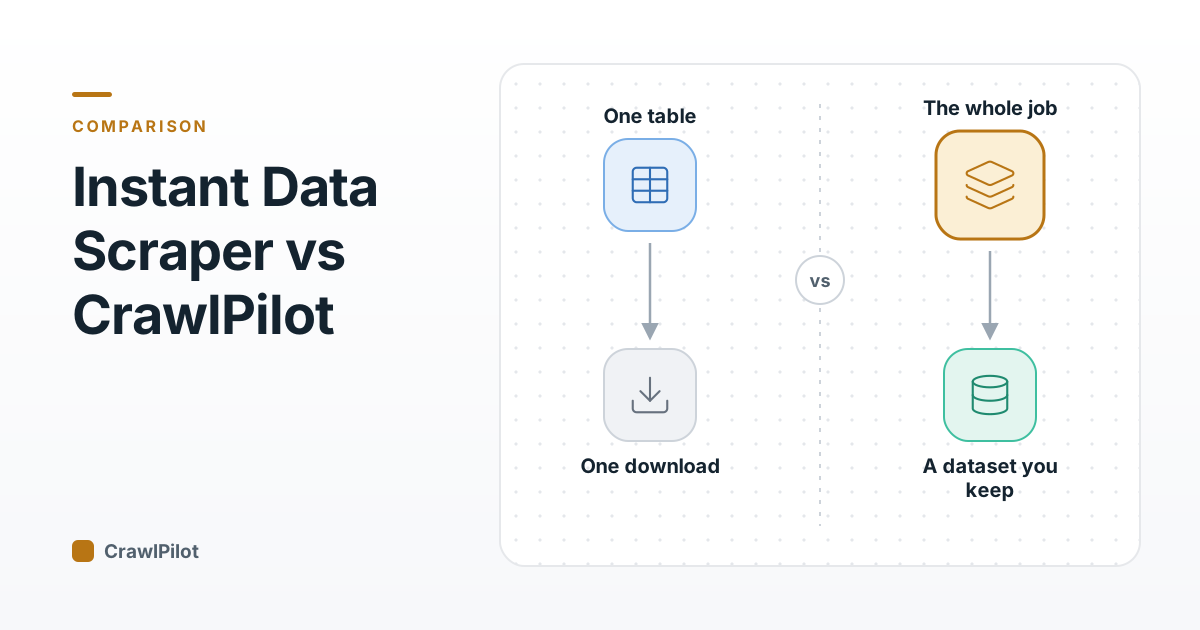
Fork 1: One Table, or the Whole Job?
Instant Data Scraper is built for the first case. Its pitch is that it needs no site-specific setup: it predicts which data on the page you want. On a clean product grid or a results table, that guess is usually right, and you go from page to spreadsheet in two clicks with nothing to decide.
CrawlPilot asks for one more click: you point at an item. That costs a second, and it pays off on busy pages. A search page often holds several lists: sponsored shelves, "customers also bought", the real results. Pointing removes the guessing, and the panel lists the sections it found with their item counts so you can switch between them. On the Walmart search in our guide it offered four sections, from the 45-item results grid down to a 2-row block.
If your pages are simple and you want zero decisions, that's a point for Instant Data Scraper.
Fork 2: Do You Need What's Behind Each Row?
A search page shows a title and a price. The specs, seller, stock count or full description live on each item's own page, and that's where most real jobs end up.
Instant Data Scraper's listing covers the list itself: detection, next-page navigation, infinite scroll, delays, preview, column renaming and filtering. It doesn't mention reading each item's page.
In CrawlPilot, when a list run finishes you click Add details from each item's page, point at the fields on one product page, and it reads every item's page in a background window and adds those columns to the same table. If you already have the URLs, Same details from many pages takes a pasted list, a CSV, a column from a saved table, or the pages in a site's sitemap. (How it works.)
If your data stops at the list, this fork doesn't matter. If it doesn't, it's the biggest difference between the two.
Fork 3: One Download, or a Dataset You Keep?
Instant Data Scraper's job ends at the file: preview the data, rename and filter columns, export to Excel or CSV.
CrawlPilot keeps every run in My data. You can save one as a recipe and Run it again later, keeping Only new items if you only want what wasn't there last time. It can also send the rows somewhere instead of a file: a Google Sheet you own that stays in sync, a webhook, Airtable or Zapier. (Recipes and exports.)
For weekly price checks or a growing lead list, that's the difference between redoing the job and clicking Run.
Fork 4: Just Lists, or Other Kinds of Page Data?
Instant Data Scraper does one thing: tables and lists. CrawlPilot is a set of tools in one side panel. Besides lists, it has contacts from websites (emails, phones and profiles companies publish), every HTML table on a page, page as Markdown, an image downloader, an on-device AI page assistant, and a Scraper Toolkit for developers.
More tools also means more screen to learn. If you only ever need tables, Instant Data Scraper's single purpose is a feature.
When Instant Data Scraper Is the Better Pick
- One page, one table, right now. It predicts the table and exports it with no setup.
- You value a long track record. A million users and 4.9 stars over 7.8K ratings is a lot of real-world testing.
- You want the simplest possible tool and never need item pages, re-runs or integrations.
When CrawlPilot Is the Better Pick
- The page has several lists and you need to pick the right one.
- You need fields from each item's page, or the same fields from a list of URLs.
- You'll run it again: weekly prices, a lead list that grows, only new items.
- You want rows in Google Sheets, a webhook, Airtable or Zapier, not just a file.
- You also need contacts, tables, Markdown or images from the same pages.
Both are free, so the cheapest test is to try them on the page you actually care about. If you want to see CrawlPilot on a practice site first, the getting started guide walks through a full run with real screenshots.