Contacts from Websites
Contacts from websites collects the emails, phone numbers and social profiles that companies publish on their own sites. It also reads the contact, about and imprint pages, not just the page you open.
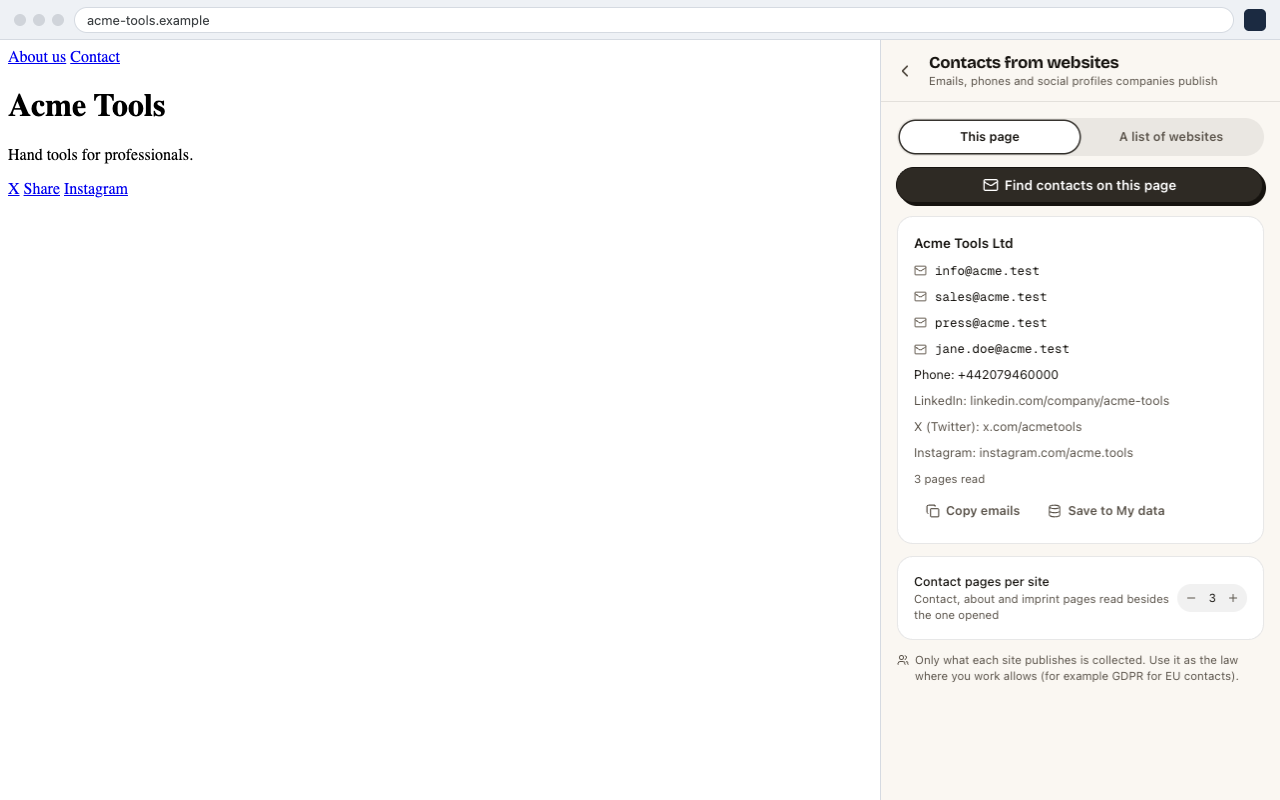
One Website: This Page
- 01Open the company's website.
- 02Open CrawlPilot → More tools → Contacts from websites.
- 03Keep This page selected and click Find contacts on this page.
CrawlPilot reads the page plus up to Contact pages per site more pages (contact, about, imprint; 3 by default). It shows one card with the company name, emails, phones and profiles. From there you can Copy emails or Save to My data.
Many Websites: A List
- 01Switch to A list of websites.
- 02Paste the Company websites, one per line. Full addresses and bare domains (
acme.com) both work. You can also choose a dataset in My data and the column that holds the websites. - 03Set Tabs at a time and Contact pages per site.
- 04Optionally turn on Leave out emails on other domains, which drops gmail.com and agency addresses.
- 05Start the run. The result is one row per company in My data, ready to export to Excel, CSV or Google Sheets.
Tip
Have a list of companies from a directory? Get it with Get a list from this page, then pick that dataset and its website column here.
Responsible Use
Only what each site publishes is collected. Use the results as the law where you work allows, for example GDPR for contacts in the EU.